Can I transfer my account to someone else?
Transferring a contract to another person or company is generally possible, but it requires the mutual agreement of both parties (the transferor and the transferee). For this purpose, Contabo provides a dedicated Transfer of Contract document.
To request a contract transfer, please follow the steps below carefully.
Please note that it is only possible to transfer your entire account as a whole; it is not possible to transfer a single instance. What you can do in this case is create a new account, purchase a new server, and then create backups or transfer your data from the old server to the new one.
Step 1: Download and complete the Transfer of Contract form
Download the Transfer of Contract form attached below at the bottom of this article (if you're viewing this article inside of the Customer Panel, please open the Help Desk website version to access the attached form).
Fill out the form
Ensure the form is signed by both parties
Step 2: Submit a support request via the Customer Control Panel
Log in to your Customer Control Panel
Raise your request with the Customer Support team here
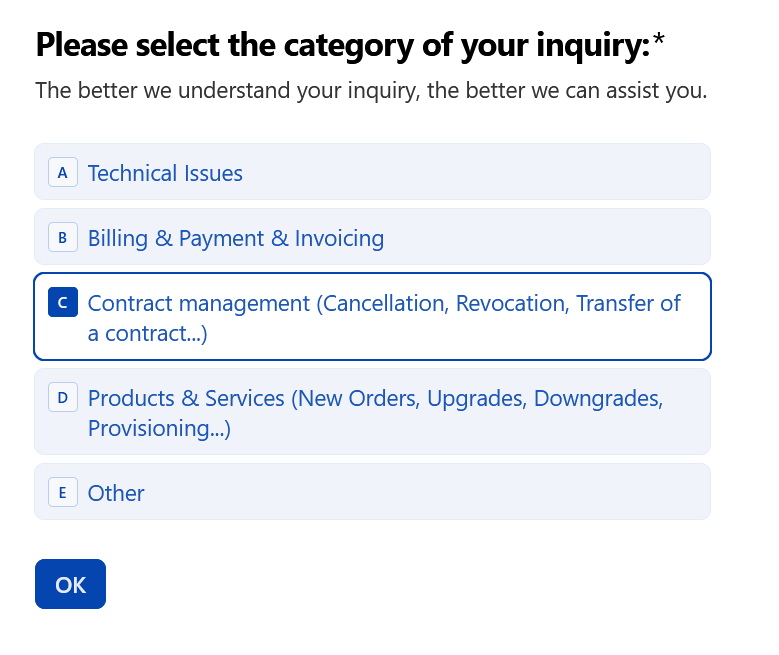
When creating a support request, select C - Contract management, then click OK
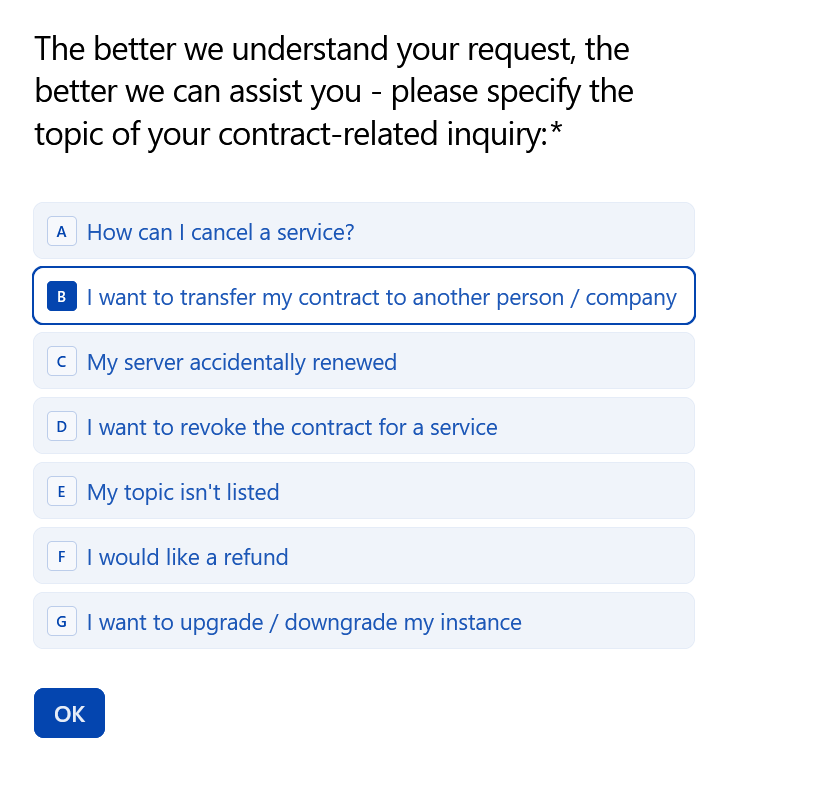
Then select B - I want to transfer my contract to another person / company
5. Click A - Continue with the support request
Step 3: Add your message
In the message field, specify which customer account or contract you would like to transfer
Please note that the signed Transfer of Contract form must be uploaded in the next step
Step 4: Upload the signed form
Choose Yes, I want to add an attachment
Upload the completed and signed Transfer of Contract form
Submit the request
What happens next?
Once we receive your request and the signed document, we will process the contract transfer and notify you as soon as it has been completed.
Was this article helpful?
That’s Great!
Thank you for your feedback
Sorry! We couldn't be helpful
Thank you for your feedback
Feedback sent
We appreciate your effort and will try to fix the article
